Extend C Drive Errors in Disk Management
Click on the thumb to see large screen shot
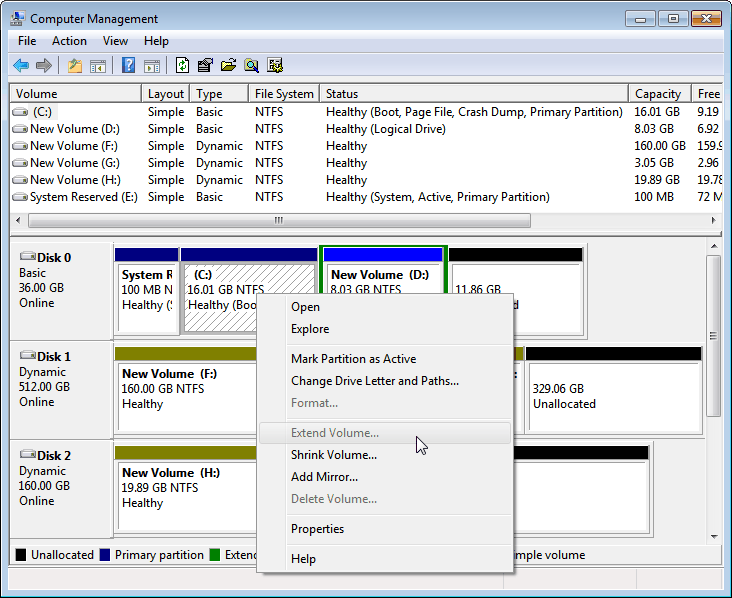
- Error
- Extend Volume Greyed out
- Reason
- The Extend volume option can only be active when there's continuous unallocated space followed
- Solution
- Use Partition Expert's *Resize and Move* function to move free space from other partition to C Drive if you don't want to delete any partition and create unallocated space
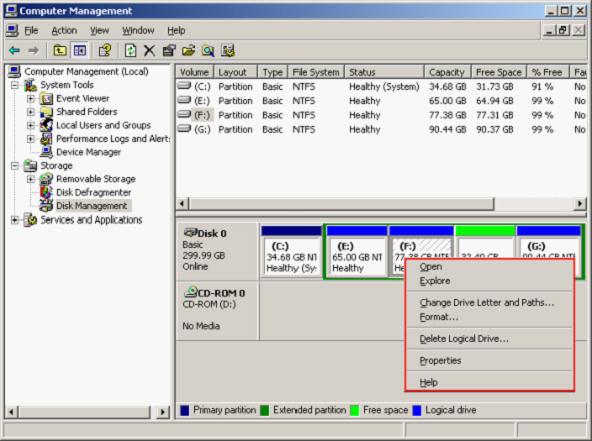
- Error
- No Extend Volume option
- Reason
- he Extend Volume only shows on Windows Server 2008 and later Operating system, Server 2003 and the OS before it are not built-in with such function
- Solution
- Partition Expert works fine on Windows Server 2003, if there's a need to extend it's volume, this program can help
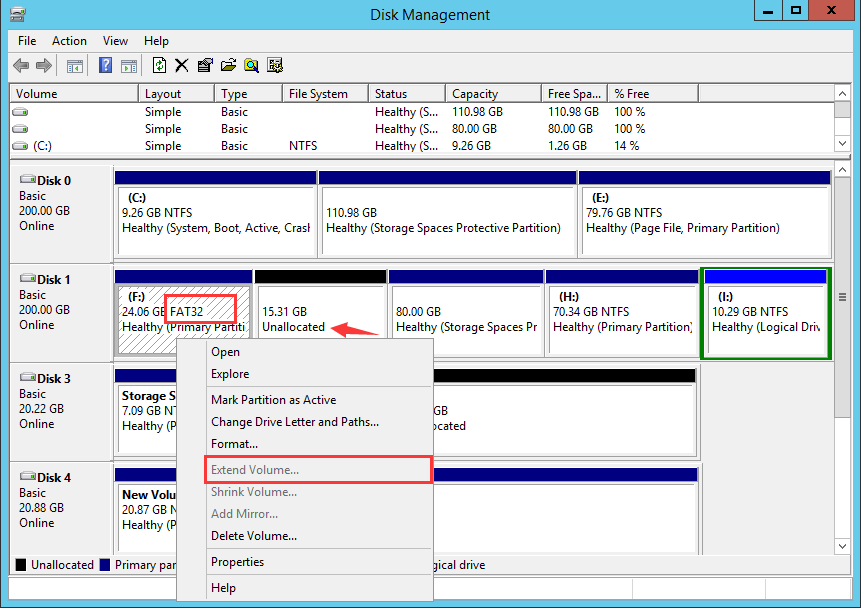
- Error
- Still Grayed out before unallocated space
- Reason
- The file system of C Drive is FAT32 which is the file system Disk Management doesn't support
- Solution
- Format FAT32 to NTFS, but by doing this, all data on C Drive is lost and need to reinstall OS; perhaps, extend this volume with Partition Expert is a better solution